
Customization
Make MC Linker fit your server. Give it its own nickname, avatar, banner and bio in your Discord server, completely free. Or go further and run MC Linker as your own bot (supporting us in the process!).
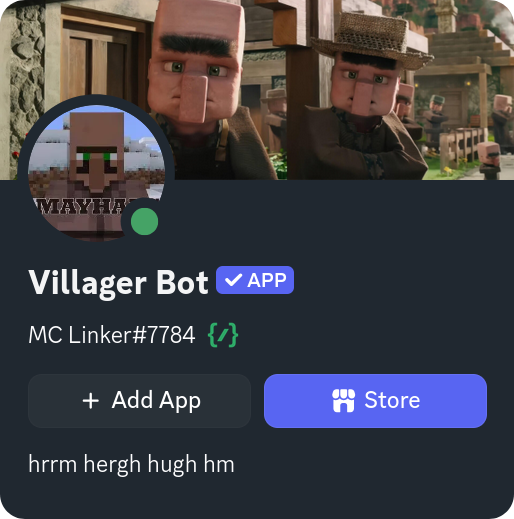
Change how MC Linker looks in your server
- Who can use it
- Administrator or Manage Server (change this)
- Works in
- Discord servers
- Needs
- Nothing else, it works before you connect a Minecraft server
- Run
/customizein your server. - Click Change Server Appearance.
- Fill in what you want to change:
| Field | What it changes |
|---|---|
| Nickname | The name MC Linker shows in your server (up to 32 characters). |
| Bio | The About Me text on MC Linker's profile in your server (up to 190 characters). |
| Avatar | The profile picture in your server. Upload an image. |
| Banner | The profile banner in your server. Upload an image. |
Leaving a field empty resets it to the default.
These changes only apply to your server. Everywhere else MC Linker keeps its usual look.
Customization Failed?
The image may be invalid, or you changed things too quickly. Use a PNG, JPG or GIF and wait a minute before trying again.
Want more?
With the Customize MC Linker subscription you run MC Linker as your own bot: your own username, avatar, status and emoji, everywhere. See Custom bot.